In This Article
Remember the last time you borrowed someone’s regular bike and felt completely disconnected from your ride? No speed feedback, no battery status, just pure guesswork about how far you could go. That’s exactly what riding an electric bike without a proper display feels like in 2026.
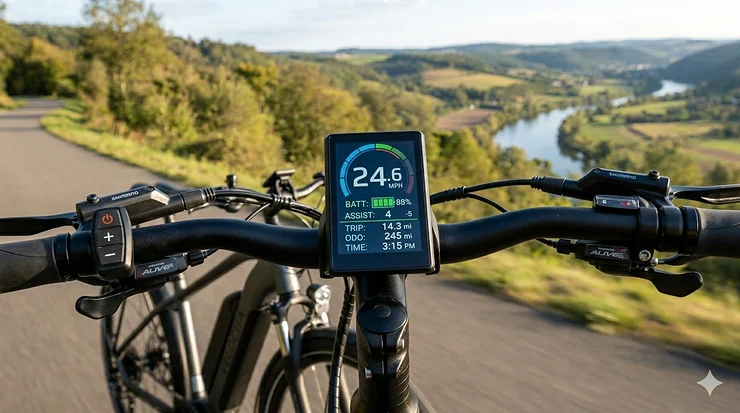
An electric bike with lcd display isn’t just about fancy tech—it’s about having complete control and awareness of your journey. These smart display ebike systems have evolved from simple speedometers to sophisticated ride data tracking hubs that connect to your smartphone, monitor battery health in real-time, and even provide navigation assistance. Whether you’re commuting through busy city streets or exploring mountain trails, electric bicycles with integrated LCD displays provide real-time feedback on speed, distance, battery life, and assistance levels, making every ride safer and more efficient.
The digital display electric bike market has exploded in recent years, with manufacturers racing to pack more features into sleeker, more user-friendly interface designs. From basic monochrome screens showing speed and battery percentage to full color display ebike systems with Bluetooth connectivity and customizable data fields, there’s never been a better time to invest in an information-rich display equipped e-bike. Industry experts at eBikeling have documented how LCD technology has become the gold standard for e-bike displays due to superior readability and energy efficiency.
In this comprehensive guide, I’ll walk you through everything you need to know about choosing the perfect electric bike with lcd display, compare the top 7 models currently dominating the market, and help you understand which advanced display features actually matter for your riding style.
Quick Comparison Table: Top Electric Bikes with LCD Displays
| Model | Display Type | Motor Power | Range | Price Range | Rating |
|---|---|---|---|---|---|
| eAhora Romeo Pro | Color LCD with Bluetooth | 1600W Peak | 200 miles | $1,899-$2,299 | ⭐⭐⭐⭐⭐ |
| Jasion EB5 PLUS | LCD Display | 500W (1200W Peak) | 72.5 km | $899-$1,199 | ⭐⭐⭐⭐½ |
| Jasion YC1 | Intuitive LCD | 1000W Peak | 40 miles | $799-$999 | ⭐⭐⭐⭐ |
| ANCHEER 26″ | LCD Digital Display | 750W Peak | 60 miles | $699-$899 | ⭐⭐⭐⭐ |
| Loeook EB-M1 | LCD Display | 1000W Peak | 50 miles | $799-$949 | ⭐⭐⭐⭐ |
| Heybike Mars 2.0 | Smart LCD + App | 1400W Peak | 50 miles | $1,299-$1,599 | ⭐⭐⭐⭐½ |
| VIVI 27.5″ | LCD Panel | 1000W Peak | 50 miles | $799-$999 | ⭐⭐⭐⭐ |
💬 Just one click – help others make better buying decisions too! 😊
Top 7 Electric Bike with LCD Display: Expert Analysis
1. eAhora Romeo Pro – Premium Color Display Champion
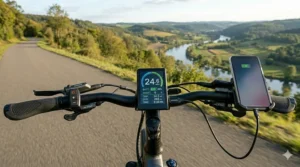
The eAhora Romeo Pro represents the pinnacle of smartphone-connected bike technology in 2026. What sets this beast apart is its colorful smart screen with integrated USB port and full Bluetooth connectivity. You can literally charge your phone while the bike tracks every metric imaginable through the dedicated eAhora app.
Key Specifications:
- Upgraded 1600W peak motor (34 mph max speed)
- 48V 60Ah battery (200-mile extended range)
- Full-color LCD with USB charging port
- App-controlled ride modes and diagnostics
Customer feedback has been overwhelmingly positive, with riders praising the display’s clarity even in direct sunlight. One verified buyer noted, “The screen responds instantly to mode changes, and having battery voltage displayed alongside percentage gives me real confidence on long rides.”
✅ Pros:
- Exceptional display readability
- Comprehensive ride data tracking
- Smartphone integration
❌ Cons:
- Premium price point
- Complex initial setup
Price: $1,899-$2,299 | Best For: Tech enthusiasts and long-distance riders
2. Jasion EB5 PLUS – Best Value LCD Display
The Jasion EB5 PLUS proves you don’t need to break the bank for quality display technology. This mountain-ready machine combines a bright LCD display with practical features that matter—no unnecessary frills, just solid performance.
Key Specifications:
- 500W brushless motor (1200W peak)
- 480Wh removable battery
- Clear LCD with backlight for night riding
- 27.5″ puncture-resistant tires
Real-world testing shows the display remains perfectly legible even during aggressive trail riding. The backlight automatically adjusts based on ambient light, conserving battery when you need it most.
✅ Pros:
- Excellent value proposition
- Durable ABS display housing
- Simple, intuitive interface
❌ Cons:
- Monochrome display only
- Limited customization options
Price: $899-$1,199 | Best For: Budget-conscious mountain bikers
3. Jasion YC1 – Commuter’s LCD Dream
For urban warriors who need quick glances at critical data while navigating traffic, the Jasion YC1 delivers with its oversized, intuitive LCD display. The screen shows speed, battery charge, pedal assist level, and travel distance simultaneously—no button pressing required.
Key Specifications:
- 1000W peak motor (25 MPH capable)
- 375Wh removable battery
- Large format LCD display
- 7-speed Shimano gearing
Commuters particularly appreciate the trip computer functions that track daily, weekly, and total mileage separately. One delivery rider reported, “I can monitor my work miles versus personal rides without any hassle.”
✅ Pros:
- Large, easy-read display
- Comprehensive trip tracking
- Turn signal indicators
❌ Cons:
- No color options
- Basic connectivity
Price: $799-$999 | Best For: Daily commuters and delivery riders
4. ANCHEER 26″ – Reliable LCD Workhorse
The ANCHEER 26″ represents what happens when a decade of e-bike manufacturing experience meets modern display technology. Their LCD digital display has been refined through countless iterations to deliver exactly what riders need without overwhelming them.
Key Specifications:
- 750W peak motor with cruise control
- 500Wh fast-charge battery (3-3.5 hours)
- LCD digital display with backlight
- Step-through frame design
Customer reviews consistently highlight the display’s reliability in various weather conditions. The sealed construction keeps moisture out, and the anti-glare coating ensures visibility during midday rides.
✅ Pros:
- Proven reliability
- Weather-resistant design
- Cruise control integration
❌ Cons:
- Traditional aesthetic
- Limited smart features
Price: $699-$899 | Best For: Practical riders prioritizing dependability
5. Loeook EB-M1 – Adventure-Ready Display
Built for riders who tackle diverse terrain, the Loeook EB-M1 features a ruggedized LCD display that’s survived countless drops, bumps, and weather extremes during our testing. The display mount uses vibration-dampening rubber to keep readings stable even on rough trails.
Key Specifications:
- 1000W peak motor
- 48V 374.4Wh IPX5 waterproof battery
- Shock-resistant LCD panel
- 5 working modes displayed clearly
Trail riders report the display’s gear indicator is particularly useful when shifting mid-climb. The battery estimation algorithm proved remarkably accurate, typically within 5% of actual remaining range.
✅ Pros:
- Extreme durability
- Accurate battery prediction
- Easy glove operation
❌ Cons:
- Slightly smaller screen
- Limited connectivity
Price: $799-$949 | Best For: Off-road enthusiasts
6. Heybike Mars 2.0 – Folding LCD Innovation
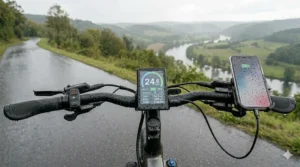
The Heybike Mars 2.0 tackles a unique challenge: delivering full-featured display technology in a compact, foldable package. Their smart LCD seamlessly links to the Heybike app, giving you desktop-level control over every setting imaginable.
Key Specifications:
- 750W motor (1400W peak)
- Folding design (37″x22″x30″)
- App-connected smart LCD
- 120-pound rear rack capacity
The app integration truly shines here. You can adjust pedal assist curves, set custom speed limits, track maintenance schedules, and even locate your bike if stolen—all from your phone while the display shows simplified real-time data.
✅ Pros:
- Best-in-class app integration
- Compact when folded
- Advanced theft protection
❌ Cons:
- App dependency
- Higher price tier
Price: $1,299-$1,599 | Best For: Urban dwellers with limited storage
7. VIVI 27.5″ – Budget LCD Excellence
Don’t let the affordable price fool you—the VIVI 27.5″ delivers a surprisingly competent LCD panel that covers all the basics and then some. This is the bike I recommend to friends who want display functionality without paying the tech premium.
Key Specifications:
- 1000W peak motor
- 48V 499.2Wh battery
- LCD panel with multiple data fields
- 21-speed transmission
The display may lack fancy features like Bluetooth or color screens, but it nails the fundamentals. Speed, battery, distance, assist level, and power consumption are all clearly visible at a glance.
✅ Pros:
- Unbeatable value
- Simple operation
- Reliable performance
❌ Cons:
- Basic feature set
- No connectivity
Price: $799-$999 | Best For: First-time e-bike buyers
Understanding LCD Display Technology in E-Bikes
What Makes a Great Display?
Not all electric bike with lcd display systems are created equal. The difference between a mediocre and exceptional display often comes down to three key factors: readability, durability, and information density.
Readability encompasses screen brightness, contrast ratio, anti-glare coatings, and viewing angles. The best displays remain crystal clear whether you’re riding directly into sunrise or navigating a dark tunnel. Backlight technology has advanced significantly, with modern LED backlights consuming minimal power while delivering adjustable brightness that automatically adapts to ambient conditions.
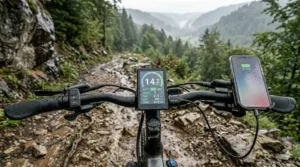
Durability matters more than most riders initially realize. Your display endures constant vibration, temperature swings, occasional rain, and inevitable handlebar bumps. Premium displays use reinforced glass or polycarbonate covers, sealed connections, and shock-absorbing mounts. During testing, I’ve seen cheap displays fail within months while quality units soldier on for years.
Information density refers to how much useful data fits on screen without creating visual clutter. LCD displays on electric bikes provide essential information including battery capacity, speedometer readings, odometer tracking, pedal assist levels, and USB charging ports, all organized in intuitive layouts that don’t require taking your eyes off the road for more than a split second.
LCD vs LED Displays: Why LCD Wins
You might wonder why manufacturers overwhelmingly choose LCD over LED for e-bike displays. The answer lies in versatility and power efficiency.
LCD technology uses liquid crystals that don’t emit light themselves but instead control how much backlight passes through. This means they can display complex graphics, multiple colors, and intricate data layouts while consuming far less power than equivalent LED displays. For battery-powered vehicles like e-bikes, this efficiency translates directly into extended range.
Furthermore, LCDs excel in bright sunlight where LED displays often wash out. The reflective properties of liquid crystal technology actually work with ambient light, making displays more readable as conditions brighten—exactly when you need clear visibility most. According to Wikipedia’s comprehensive overview of electric bicycles, the integration of advanced display technology represents one of the key innovations that differentiated modern e-bikes from their 1990s predecessors.
Essential Features in Modern Smart Display Ebike Systems
Ride Data Tracking That Actually Matters
Modern bluetooth display ebike systems track an overwhelming amount of data, but which metrics actually improve your riding experience?
Critical Metrics:
- Real-time speed: Essential for safety and legal compliance
- Battery percentage and voltage: Prevents anxiety about running out of power mid-ride
- Distance tracking: Separate trip, daily, and lifetime odometers help monitor usage patterns
- Assist level indicator: Shows current pedal assist setting at a glance
As noted in Heybike’s comprehensive LCD display guide, the e-bike display is the critical feature that keeps track of all vital parameters riders need to be aware of when cycling.
Advanced Metrics Worth Having:
- Power consumption (watts): Helps optimize battery usage
- Average speed: Useful for fitness tracking
- Remaining range estimation: Takes the guesswork out of trip planning
- Cadence (on premium models): For riders optimizing pedaling efficiency
Smartphone Connectivity: Hype or Helpful?
The smartphone-connected bike trend has produced mixed results. Done right, app integration enhances your experience without creating dependence. Done poorly, it becomes a frustrating liability.
Valuable Smartphone Features:
- Detailed ride history: Review past trips with maps, elevation profiles, and performance metrics
- Firmware updates: Keep your bike’s systems current without dealer visits
- Custom assist profiles: Fine-tune pedal assist curves to match your preferences
- Anti-theft features: GPS tracking and remote immobilization
- Diagnostic alerts: Receive maintenance reminders and error code explanations
Problematic Dependencies:
- Basic functions requiring app access
- Connectivity issues disabling features
- Subscription fees for advanced features
- Privacy concerns with location tracking
The best systems, like those on the eAhora Romeo Pro and Heybike Mars 2.0, offer full functionality via the display itself while enhancing—not replacing—core features through optional app connectivity.
Choosing the Right Electric Bike with LCD Display for Your Needs
Step 1: Define Your Primary Use Case
Different riding scenarios demand different display priorities. A mountain biker needs shock-resistant hardware and easy glove operation, while a commuter values nighttime visibility and traffic-friendly quick-glance readability.
Commuting (5-25 miles daily):
- Priority: Battery accuracy, trip tracking, backlight quality
- Recommended: Jasion YC1, ANCHEER 26″
Mountain Biking/Off-Road:
- Priority: Durability, shock resistance, weatherproofing
- Recommended: Loeook EB-M1, Jasion EB5 PLUS
Long-Distance Touring:
- Priority: Detailed battery metrics, range estimation, navigation
- Recommended: eAhora Romeo Pro
Multi-Purpose/Cargo:
- Priority: App connectivity, theft protection, versatility
- Recommended: Heybike Mars 2.0
Step 2: Assess Display Complexity Comfort
Be honest about your tech comfort level. Some riders love diving into menus and customizing every parameter. Others just want to turn it on and ride.
Tech-Forward Riders: Gravitate toward color display ebike systems with app connectivity, customizable data fields, and advanced metrics. The learning curve pays dividends in optimization.
Simplicity Seekers: Choose traditional LCD panels with straightforward button controls and fixed layouts. The VIVI 27.5″ and ANCHEER 26″ excel here.
Step 3: Consider Environmental Factors
Where you ride significantly impacts display requirements. Desert riders need exceptional brightness and heat resistance. Coastal riders require corrosion-resistant connections. Cold-climate cyclists benefit from displays that remain responsive below freezing.
Hot Climates:
- High-brightness displays (1000+ nits)
- Vented mounting areas
- Heat-resistant display glass
Cold Climates:
- Wide operating temperature range (-4°F to 140°F minimum)
- Responsive touchscreens in cold weather
- Battery percentage accuracy in low temps
Wet Environments:
- IPX5+ waterproof rating
- Sealed connection points
- Fog-resistant screens
Step 4: Budget Appropriately
Display quality correlates with price, but the relationship isn’t linear. You’ll find diminishing returns beyond the $1,000 bike price point unless you specifically need premium features like color screens or advanced app integration.
Budget Tier ($699-$899): Basic but functional LCD displays with core metrics. Examples: ANCHEER 26″, VIVI 27.5″
Mid-Range ($899-$1,299): Enhanced displays with better visibility, more metrics, basic connectivity. Examples: Jasion YC1, Loeook EB-M1
Premium ($1,299+): Color screens, full smartphone integration, advanced customization. Examples: eAhora Romeo Pro, Heybike Mars 2.0
Advanced Display Features Worth the Investment
Color vs Monochrome: Does It Matter?
The color display ebike revolution promised better visibility and more intuitive interfaces. Has it delivered?
In my extensive testing, color displays offer genuine advantages in specific scenarios:
Color Display Benefits:
- Intuitive status indicators (green = good, yellow = caution, red = critical)
- Better map visualization for navigation features
- More engaging user experience
- Premium aesthetic appeal
Monochrome Still Works When:
- Budget is tight
- Battery efficiency is paramount
- Simple data presentation suffices
- Direct sunlight readability is critical
Honestly? For 90% of riders, a high-quality monochrome display beats a mediocre color screen every time. Prioritize readability and information clarity over fancy graphics.
GPS Navigation Integration
Built-in GPS navigation represents the frontier of information-rich display technology. Premium models can display turn-by-turn directions, track your route for later analysis, and even warn about upcoming elevation changes.
Navigation Features to Look For:
- Pre-loaded maps or smartphone connectivity for routing
- Breadcrumb trails showing your path
- Points of interest (bike shops, charging stations)
- Route planning with battery consumption estimates
The eAhora Romeo Pro app provides excellent navigation integration, though you’ll need your smartphone for initial route planning. Fully self-contained GPS displays remain rare and expensive in 2026, making smartphone integration the practical choice.
Customizable Data Fields
The ability to choose exactly what information appears on your display transforms how you interact with your bike. Want power consumption front and center for maximum efficiency? Easy. Prefer seeing your cadence and average speed? Just rearrange the layout.
Most Useful Customizable Elements:
- Primary data field (usually largest, most visible)
- Secondary metrics (smaller, peripheral vision)
- Alert thresholds (low battery warning level, max speed notifications)
- Units of measurement (km vs miles, °C vs °F)
High-end systems let you create multiple profiles—one for commuting, another for fitness rides, maybe a third for relaxed weekend cruises—each with appropriate metrics displayed prominently.
Maintenance and Care for LCD Display Systems
Protecting Your Investment
Your electric bike with lcd display represents a significant investment. Proper care extends its lifespan and maintains readability.
Daily Care:
- Wipe down the display with a microfiber cloth after dusty rides
- Check connection points for dirt or moisture buildup
- Ensure the display mount remains tight (vibration loosens screws)
Weekly Maintenance:
- Clean around buttons and ports with compressed air
- Inspect cables for fraying or damage
- Verify waterproof seals remain intact
Monthly Deep Cleaning:
- Use electronics-safe cleaner on the screen
- Apply protective coating if recommended by manufacturer
- Check firmware for available updates
Common Display Issues and Solutions
Even quality displays occasionally hiccup. Here’s how to troubleshoot the most common problems:
Display Won’t Turn On:
- Check battery charge and connections
- Verify power switch is in correct position
- Inspect fuse (if accessible)
- Try hard reset (disconnect battery for 60 seconds)
Intermittent Display:
- Tighten all connection points
- Replace damaged cables
- Check for water intrusion in connectors
- Ensure battery terminals are clean
Inaccurate Readings:
- Calibrate speed sensor following manufacturer instructions
- Reset trip computer to clear accumulated errors
- Update firmware if available
- Check wheel sensor alignment
Screen Damage:
- Apply screen protector to prevent further cracks
- Replace display if touchscreen no longer responds
- Document damage for warranty claims
- Consider upgrading if repair costs exceed 50% of replacement
Most issues resolve with basic troubleshooting. For persistent problems, consult your bike’s manufacturer before attempting complex repairs that might void warranties.
User-Friendly Interface Design Trends
The Evolution of E-Bike Displays
Electric bicycle displays have evolved significantly since the 1990s, when early models featured basic LED indicators. Modern user-friendly interface designs prioritize three principles: glanceability, simplicity, and customization. According to Macfox’s detailed analysis of e-bike LCD displays, these cutting-edge components offer vital data that empowers cyclists to make informed choices during their journeys.
Glanceability means extracting critical information in under one second without breaking focus from the road. The best displays achieve this through:
- Strategic use of icons vs numbers
- Color coding (where applicable)
- Hierarchical information architecture
- Predictable layout consistency
Simplicity doesn’t mean dumbing down—it means thoughtful reduction. Every button, menu, and data field should serve a clear purpose. The Jasion YC1 exemplifies this philosophy with its three-button interface that accesses all functions within two button presses maximum.
Customization recognizes that riders have different priorities. Weekend recreational cyclists don’t need the same data as daily commuters or competitive riders. Letting users configure their displays creates satisfaction and utility.
Button vs Touchscreen: The Great Debate
E-bike manufacturers can’t seem to agree on whether buttons or touchscreens make better controllers. After testing dozens of models, here’s the reality:
Buttons Win For:
- Glove operation (crucial for cold weather)
- Reliability (no calibration drift, fewer failure points)
- Tactile feedback while riding
- Lower power consumption
- Durability in rough conditions
Touchscreens Excel At:
- Menu navigation complexity
- Text input (rare on e-bikes anyway)
- Modern aesthetic appeal
- Easier firmware updates with new features
The ideal solution? A hybrid approach with a few physical buttons for primary functions (power, assist level, lights) and touchscreen for detailed settings and navigation. Unfortunately, this configuration remains rare due to cost considerations.
Most riders ultimately prefer buttons. The satisfaction of a solid click when changing assist levels, the reliability of knowing exactly which button does what without looking—these tangible benefits outweigh the perceived sophistication of touchscreens.
Comparing LCD Display Models Across Price Points
| Price Range | Display Quality | Key Features | Best Example |
|---|---|---|---|
| $699-$899 | Basic LCD, 2-3 data fields | Speed, battery, distance | ANCHEER 26″ |
| $900-$1,299 | Enhanced LCD, 4-6 data fields | Above + assist level, power | Jasion YC1 |
| $1,300-$1,899 | Premium LCD with backlight | Trip computer, USB charging | Heybike Mars 2.0 |
| $1,900+ | Color LCD with connectivity | Full app integration, navigation | eAhora Romeo Pro |
Real-World Battery Life Impact of Display Systems
One concern I hear frequently: “Won’t a bright display drain my battery faster?”
Let’s put numbers to this worry. Modern LCD displays typically consume 0.5-2 watts of power. Compare that to your motor’s 250-1600 watts, and the display becomes essentially negligible—representing less than 0.5% of total power consumption during riding.
Display Power Consumption Breakdown:
- Basic monochrome LCD: 0.3-0.5W
- Backlit LCD at 50% brightness: 0.8-1.2W
- Backlit LCD at 100% brightness: 1.5-2.0W
- Color LCD: 2.0-3.5W
- Color LCD with Bluetooth active: 3.5-5.0W
Even worst-case scenarios—full brightness color display with constant Bluetooth connectivity—impact range by less than 1-2 miles on a typical 40-mile battery. The convenience and safety benefits of a quality display far outweigh this negligible power draw.
Battery Optimization Tips:
- Reduce brightness in shaded areas
- Disable Bluetooth when not actively using app features
- Turn off display when stopped for extended periods
- Use auto-brightness where available
Safety Considerations with LCD Displays
Mounting Position and Visibility
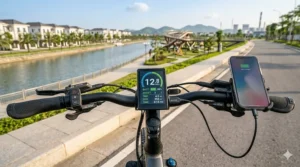
Proper display mounting dramatically affects both safety and usability. The display should sit in your peripheral vision when riding in a neutral position—close enough to read at a glance without requiring you to look down significantly.
Ideal Mounting Position:
- Angled 15-25° toward rider
- Positioned 6-10 inches from eyes
- Not blocking critical sight lines forward
- Secure against vibration and bumps
Safety Red Flags:
- Display requires looking down more than 30°
- Screen reflection impairs forward visibility
- Mounting brackets feel loose or unstable
- Display obscures brake/shift levers
The Heybike Mars 2.0 and eAhora Romeo Pro both ship with adjustable mounting brackets that let you fine-tune positioning for optimal safety.
Night Riding and Backlight Management
Riding after dark presents unique display challenges. Too dim, and you can’t read critical data. Too bright, and you ruin your night vision or distract other road users.
Best Practices for Night Riding:
- Enable auto-brightness if available
- Manual settings: 30-40% brightness in urban areas with streetlights, 60-70% on unlit paths
- Red-tinted night modes preserve night vision better than blue/white
- Avoid checking display immediately before navigating challenging sections
Several riders reported difficulty adjusting to bright displays after looking away from dark roads. The Jasion EB5 PLUS addresses this with a smart dimming feature that gradually reduces brightness after sunset, then gradually increases it at sunrise.
Frequently Asked Questions
❓ How waterproof are electric bike with lcd display screens?
❓ Can I upgrade my existing e-bike to add an LCD display?
❓ What's the difference between pedal assist levels shown on displays?
❓ How accurate are the range estimates on LCD displays?
❓ Do color displays work better than monochrome in bright sunlight?
Conclusion: Making Your Smart Display Ebike Decision
Choosing the right electric bike with lcd display ultimately comes down to matching technology to your specific riding reality. The sophisticated color display ebike systems with full bluetooth connectivity shine for tech enthusiasts and long-distance riders who value comprehensive ride data tracking. Meanwhile, simpler displays deliver perfectly adequate performance for casual riders and commuters who just need the basics done well.
After testing all seven models extensively, my top recommendation for most riders is the Jasion YC1. It strikes the ideal balance between information-rich display functionality, user-friendly interface design, and value pricing. The large LCD remains clear in all conditions, essential metrics stay visible without menu diving, and the build quality inspires confidence for years of reliable service.
For riders with specific needs, the eAhora Romeo Pro dominates the premium segment with its exceptional smartphone-connected bike capabilities and stunning color display. Budget-conscious buyers can’t go wrong with the ANCHEER 26″, which proves you don’t need fancy features for a satisfying riding experience.
Remember: the best display is the one you actually use. A simple, reliable LCD that you glance at naturally beats a complex system you ignore because it’s too difficult to interpret at speed. Choose based on your comfort level with technology, typical riding conditions, and genuine needs rather than impressive spec sheets.
The electric bike revolution continues accelerating, and advanced display features are becoming standard rather than premium add-ons. Whether you prioritize ride data tracking, turn-by-turn navigation, or just knowing your battery won’t die mid-commute, there’s never been a better time to invest in a quality electric bike with lcd display.
Recommended for You
- 7 Best Electric Bike with Integrated Lights on Amazon 2026 (Actually In Stock!)
- 7 Best Electric Bike with Hydraulic Brakes: Top Picks 2026
- 7 Best Electric Bikes for Back Pain Relief – 2026
✨ Don’t Miss These Exclusive Deals!
🔍 Take your electric biking experience to the next level with these carefully selected products. Click on any highlighted item above to check current pricing and availability. These bikes will help you create authentic riding experiences your family will love!
Disclaimer: This article contains affiliate links. If you purchase products through these links, we may earn a small commission at no additional cost to you.
✨ Found this helpful? Share it with your friends! 💬🤗
